
AI Customer Support Software
Let AI handle repeat questions and prepare the context. Give people clear ownership of complex, sensitive, and account-specific work.
Start free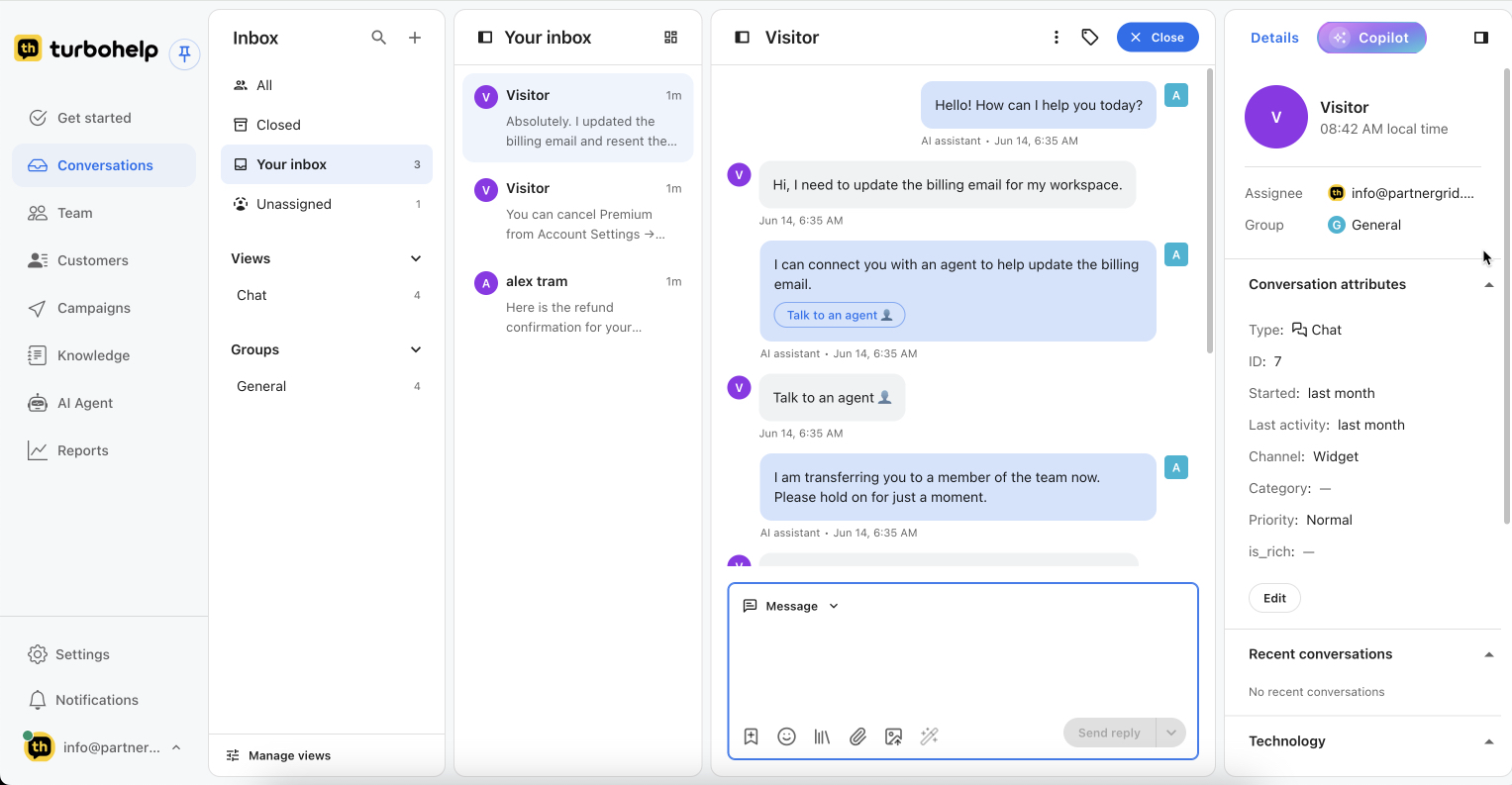
One incoming flow, different levels of attention
Email and web chat arrive in the shared inbox. The team decides what AI can resolve, what agents should review, and what must move immediately to an authorized owner.
- 1
Receive and identify
Preserve the customer, channel, conversation, and available context.
- 2
Answer or prepare
Use approved knowledge for an AI answer or an agent-reviewed draft.
- 3
Assign ownership
Create or update the ticket, priority, category, owner, and status.
- 4
Close the loop
Resolve the request, record the outcome, and capture repeated gaps for knowledge improvement.
Route by risk and judgment, not by one universal automation rule
Repeated product question
Example: “How do I invite another teammate?”
- Match an approved help article.
- Answer or prepare a reply.
- Hand off if the article does not cover the customer’s setup.
- Record repeated confusion as a content gap.
Technical issue
Example: “SSO was enabled and now our admins cannot sign in.”
- Summarize the symptoms and recent steps.
- Set category and priority.
- Assign the technical owner with the history attached.
- Use the resolved case to improve troubleshooting content.
Billing or financial request
Example: “Please refund the last charge and change the billing email.”
- Collect and summarize the request.
- Do not approve a refund or identity change automatically.
- Route to an authorized teammate.
- Keep policy context and final decision in the ticket.
Make every handoff explicit
A handoff is complete only when the next owner can see what happened, why the request moved, and what decision or action remains.
- Current owner and team
- Status, priority, category, and due response
- Conversation history and AI summary
- Customer context available to the workspace
- Reason for escalation and the requested next step
Access issue → Support → Technical owner
Turn recurring tickets into maintained answers
The support queue shows where the current help content is missing, unclear, or out of date. Use that evidence to improve customer self-service and the context available to AI and agents.
Explore the Help CenterFind
Group repeated questions and unanswered topics.
Prioritize
Start with high-volume or high-friction gaps.
Publish
Write a customer-safe answer with an owner and review date.
Review
Check whether the new content reduces repeat questions and unsafe answers.
Measure the health of the support operation
Backlog
Open work by age, status, owner, and priority.
First response
How long customers wait for the first useful response.
Resolution
How long requests take to reach a completed outcome.
Topic volume
Which product, account, billing, or policy questions repeat.
Escalations
What moved to people and why AI or the first owner could not finish it.
Knowledge gaps
Questions without a current, approved answer.

Get your AI helpdesk today
Faster replies, smarter routing, and all customer conversations in one inbox.
Start free trial