Workflows and proof

Customer Support Workflows Built in TurboHelp

See the support patterns behind AI product, consumer subscription, and education workflows—without invented performance numbers or anonymous quotes.

Start free
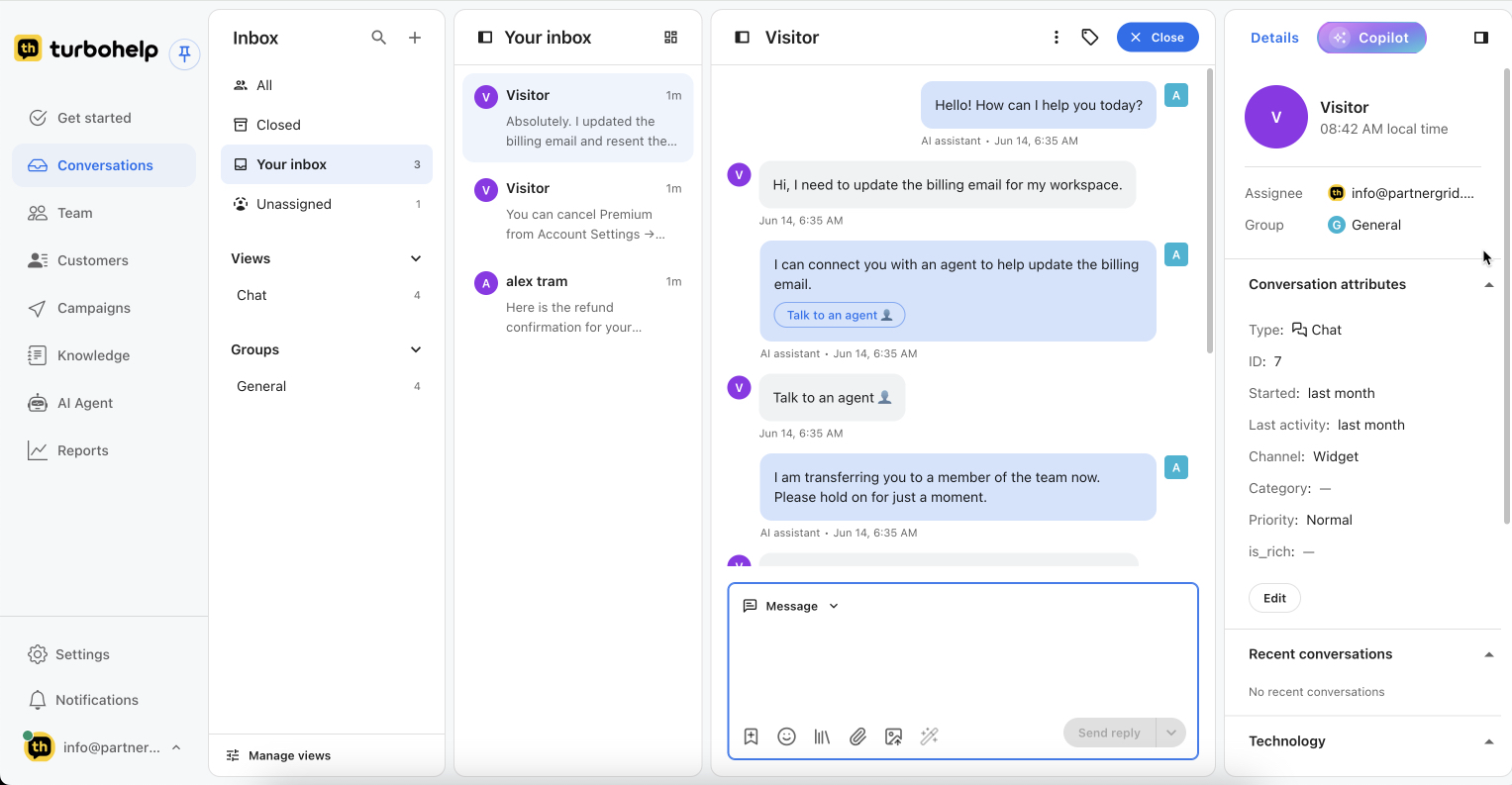
TurboHelp inbox with AI-assisted conversation, assignee, group, category, and priority

Disclosure

The product examples on this page are Textly-affiliated products and internal workflow references. They are not presented as independent third-party endorsements. No quantitative outcome is published here until it has a verifiable source, and no customer quotation is used without permission.

Product examples

Three support situations, three concrete workflows

These examples describe the operational setup and qualitative effect only.

Linguix product
Textly-affiliated product

Linguix: support for an AI writing product

Starting situation: browser extension, account access, subscription, workspace, and product-education questions arrive in the same support operation.

TurboHelp modules: Shared Inbox, Tickets, Help Center, AI assistance, and human handoff.

Workflow

  1. Use approved product and help content for routine questions.
  2. Draft or review the response in the inbox.
  3. Keep billing, access, and workspace issues as owned tickets.
  4. Hand sensitive subscription decisions to a teammate.

Qualitative effect: the agent sees the prior conversation, relevant knowledge, ownership, and next step in one workspace.

See the SaaS support workflow
BrainApps product
Textly-affiliated product

BrainApps: recurring subscription and access questions

Starting situation: repeated account, subscription, onboarding, and product-access requests need a fast first response and clear ownership when unresolved.

TurboHelp modules: Shared Inbox, Tickets, AI-assisted replies, Automation, and Reports.

Workflow

  1. Identify the request topic and available approved answer.
  2. Prepare the first response and keep the conversation visible.
  3. Route unresolved access or billing work to an owner.
  4. Review recurring questions as candidates for new help content.

Qualitative effect: routine and exception paths are separated without losing the customer history.

See the growing-team workflow
IQClub product
Textly-affiliated product

IQClub: parent, access, and subscription support

Starting situation: parent accounts, reading access, subscriptions, progress questions, and product guidance mix routine answers with cases that need a person.

TurboHelp modules: Help Center, AI assistance, Shared Inbox, Tickets, and human handoff.

Workflow

  1. Answer repeated access and product questions from approved help content.
  2. Summarize the request when a person must take over.
  3. Keep subscription and account-specific decisions with an authorized teammate.
  4. Feed unanswered questions back into the help center backlog.

Qualitative effect: the team can reuse maintained answers while preserving human review for account-specific work.

See the self-service workflow
How to evaluate proof

Ask for the evidence that matters to your workflow

A useful evaluation starts with your own questions, tickets, policies, and handoff rules. A demo should show the exact path from request to answer, ticket, owner, and report.

Book a workflow demo
  • Test answers against approved knowledge and missing-content cases.
  • Verify what context appears before and after human handoff.
  • Confirm channels, plan limits, team members, AI credits, API, and SSO in pricing.
  • Review sensitive scenarios that must stay under human control.
  • Agree on which operational metrics will define a successful rollout.

Want to validate TurboHelp with your own support flow?

Bring a repeated question, a complex issue, and a sensitive escalation. We can map each path to the inbox, AI Agent, tickets, knowledge, and human ownership.