
Help Desk Software for Growing Teams
Replace manual request tracking with a shared queue, accountable tickets, AI-assisted triage, and reports that show where work is waiting.
Start free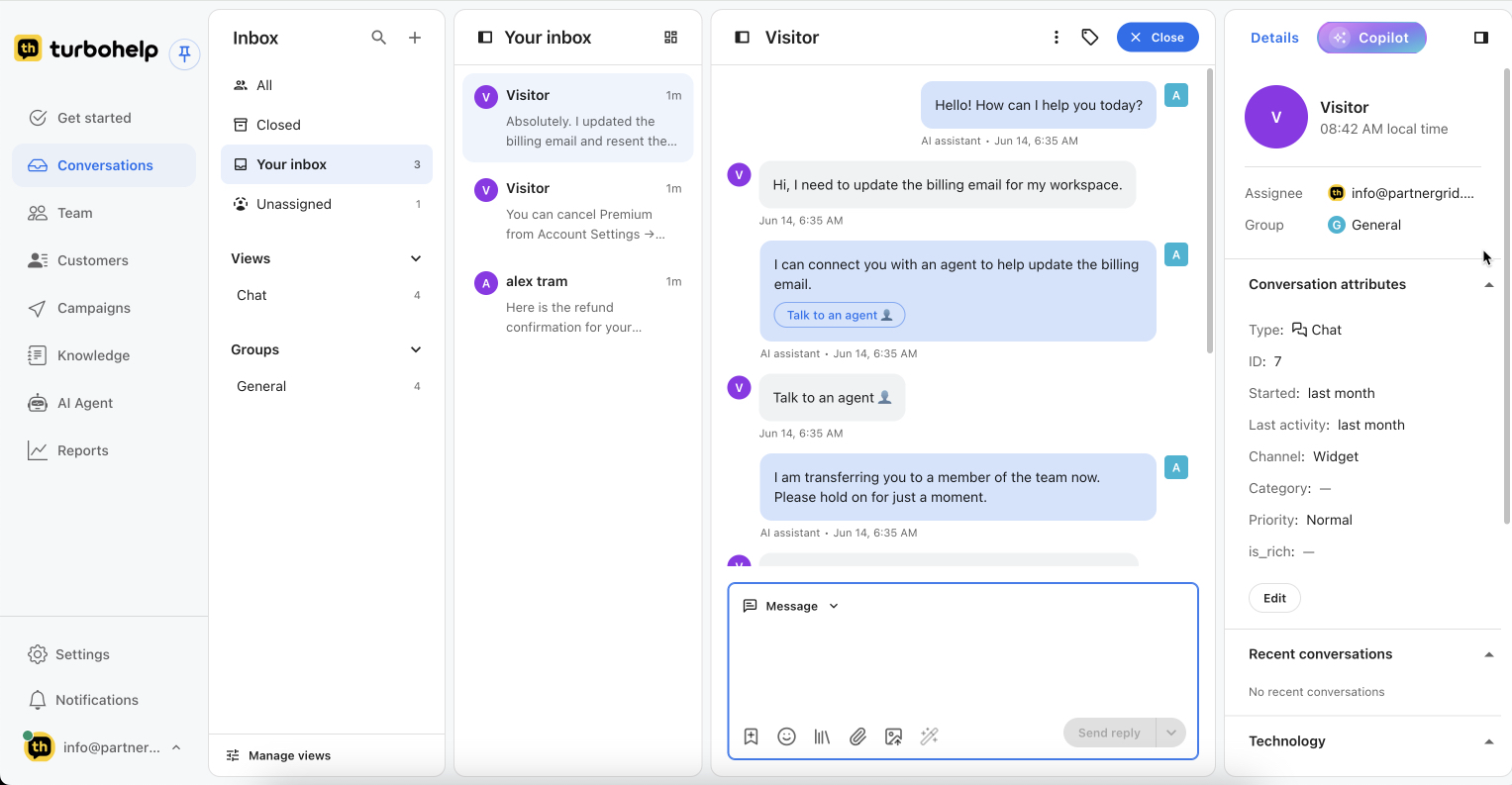
A help desk turns requests into owned work
Help desk software receives customer questions, records them as conversations or tickets, assigns responsibility, tracks progress, preserves the history, and reports on what the team resolved or still owes. It replaces private inboxes and spreadsheets with a visible operating queue.
From first message to closed ticket
The category page covers the system around the ticket; the ticketing product page goes deeper into ticket mechanics.
Intake
Receive an email, web chat, or portal request and keep the original channel and customer history.
Triage
Identify the topic, urgency, owner, and whether AI can answer or a teammate should review.
Assign
Put the ticket with the responsible person or group and make the next step visible.
Work
Reply, add notes, use approved knowledge, collaborate, and change status as work progresses.
Escalate
Move sensitive, blocked, or specialized work with the history and current ticket state intact.
Resolve
Close with a recorded outcome, then reuse recurring answers in the help center.
Owners, statuses, priorities, and escalation
Every active request should answer four questions: who owns it, what state it is in, how urgent it is, and what happens if it waits too long.
- Owner: the responsible teammate or group
- Status: new, in progress, waiting, or resolved according to the team workflow
- Priority: the order in which work needs attention
- SLA and escalation: team-defined response goals and actions when a ticket risks missing them
Supported intake paths by plan
| Path | Availability |
|---|---|
| Starter, Growth, Scale | |
| Web chat | Starter, Growth, Scale |
| Customer portal | Growth, Scale |
See pricing and plan limits for the current entitlement source of truth.
Reduce sorting work without hiding the queue
Use repeatable rules for routing, tags, and notifications. Use AI to summarize and suggest classification or a next step. Keep people in control of sensitive requests and exceptions.
See support automationBacklog
Open work and where it is waiting.
First response
How long customers wait for the first useful reply.
Resolution
How long requests take to reach a completed outcome.
Recurring work
Topics that suggest a content or product gap.
Move the workflow, not just the ticket export
1. Inventory
List active channels, fields, views, macros, automation, knowledge, users, and open tickets.
2. Map
Match owners, statuses, priorities, categories, and routing to the new workspace.
3. Validate
Test a representative sample and confirm history, ownership, and customer-facing links.
4. Cut over
Switch channels, monitor the live queue, and keep a rollback plan for unresolved issues.
Help desk software FAQ

Get your AI helpdesk today
Faster replies, smarter routing, and all customer conversations in one inbox.
Start free trial